
| App Name | GSMNeo FRP |
| Developer | GsmNeo FRP |
| Size | 1.2 MB |
| Version | 2.0 |
| OS Requirements | Android 5.0+ |
| Last Updated | May 27, 2026 |
Getting locked out of your phone feels frustrating. Many Android users face this after a factory reset. The device asks for the old Google account, and without it, access stays blocked. That is where GSMNeo FRP APK becomes useful.
This app gives users a simple way to bypass FRP locks on Android devices. It works on many brands and does not need advanced technical skills. The process feels smooth, even for beginners. That is why the tool has gained attention among Android users worldwide.
App Screenshots


Features of GSMNeo FRP





About GSMNeo FRP
GSMNeo FRP APK is an Android tool designed to bypass Factory Reset Protection. FRP is a security feature from Google that protects phones after a reset. While this helps against theft, many users forget account details and get locked out of their own devices.
The app helps users regain access quickly. It offers different bypass methods depending on the Android version and device brand. Most people use it after buying second-hand phones or forgetting old Google credentials.
The tool is mainly popular because it does not require complex software or PC setup in many cases.
How to Install GSMNeo FRP Apk
Follow these steps carefully:
- Download the GSMNeo FRP APK file on your device.
- Open your phone settings.
- Go to Security or Privacy Settings.
- Enable Install from Unknown Sources.
- Locate the downloaded APK file.
- Tap the file and press Install.
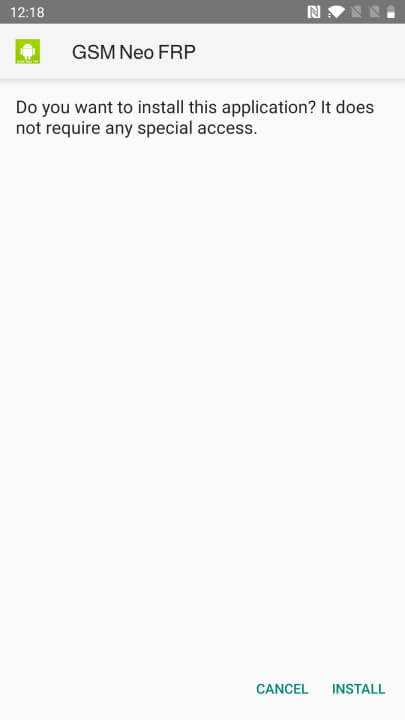
- Wait for the installation to finish.
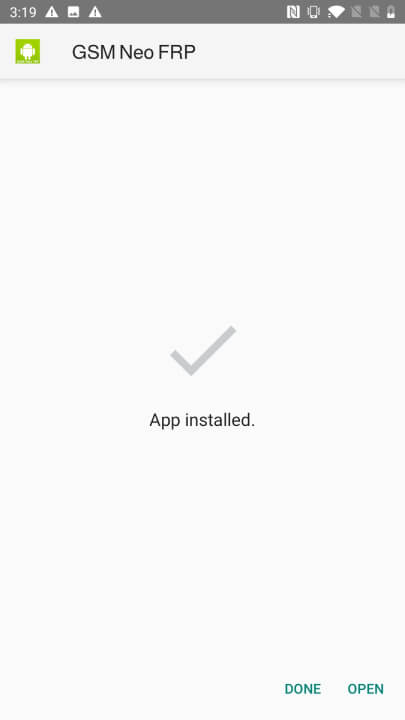
- Open the app and follow the on-screen instructions.
Make sure your device has enough battery before starting the bypass process.
Conclusion
GSMNeo FRP APK offers a quick and simple solution for Android users locked out of their devices. Its clean interface, wide device support, and easy setup make it useful for beginners and experienced users alike.
If you often deal with FRP-locked phones, this tool can save time and effort.